The Spring Leaf Garden Botanical Floral Collection: A Practical Guide for Creators
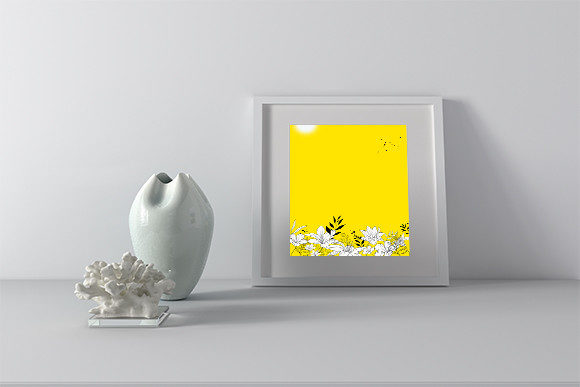
For designers, marketers, and crafters looking to add a touch of natural elegance to their projects, botanical floral graphics are a perennial favorite. The Spring Leaf Garden Botanical Floral collection represents a specific set of such assets, designed to offer both beauty and utility. While high-quality floral vectors and images can elevate branding, presentations, and products, a common mistake is to assume all digital graphic packs are equally ready for your workflow. The real value lies not just in the art itself, but in understanding its practical application and the technical details that ensure smooth integration into your work.
Beyond the Pretty Picture: The Importance of File Formats
Many creators, especially beginners, get excited by the visual appeal of a floral collection and purchase based on a single preview image. The Spring Leaf Garden Botanical Floral package is wisely offered in six distinct file types: AI, EPS, SVG, JPG, PNG, and DXF. Each serves a fundamentally different purpose. A common oversight is downloading only the JPG or PNG because they seem easiest to open, but this locks you out of the collection's core strength: editability.
Using a raster file like a JPG for a logo or a large-scale print project can lead to pixelation, poor quality scaling, and an inability to change colors or separate elements. The better approach is to assess your primary need first. For scalable branding (logos, website graphics, apparel printing), the vector files (AI, EPS, SVG) are indispensable. For web use or social media graphics where quick placement is key, PNGs with transparency might be perfect. For CNC cutting or engraving, the DXF file is the specialist format. Before using any asset, check your software's capabilities and the project's final output requirements to select the correct file from the available six.
The Canvas Size Detail: A Hidden Pitfall
The listed canvas size of 1920px x 1280px for each file type is a crucial specification that is often skimmed over. This is not just a random measurement; it defines the working artboard or image dimensions. A misunderstanding here can cause frustration. For instance, if you need a very large backdrop for a trade show banner, a 1920px wide vector file can be scaled infinitely without loss of quality, but a 1920px wide JPG cannot. Conversely, if you need a tiny icon, starting with such a large base file might require unnecessary scaling down in your software.
The practical advice is to see this canvas size as your starting point. For vector files, it’s a comfortable, modern digital workspace. For raster files (JPG, PNG), it provides a high-resolution base suitable for many standard digital and print outputs, but you must remember its limits for very large physical prints. Always confirm your project’s required resolution (e.g., 300 DPI for print) and calculate if the provided raster dimensions will suffice. If not, plan to use the scalable vector versions.
Assuming Editability Means Simple Editing
The guarantee that these designs are “easy to use and can be edited as needed” is a significant benefit, but the term “edited” can be misinterpreted. A beginner might assume they can easily recolor a complex floral JPG in a basic photo app, which is technically difficult. True, non-destructive editing—changing colors, removing leaves, rearranging elements—is seamlessly possible only in the vector formats (AI, EPS, SVG) using software like Adobe Illustrator, Affinity Designer, or Inkscape.
A better choice is to match your skill level and tools to the file format. If you are not comfortable with vector software, the PNG files with transparent backgrounds offer great flexibility for compositing in programs like Canva or Photoshop without needing to edit the floral artwork itself. For professionals, the AI and EPS files are the gold standard, allowing complete creative control. Before purchase, honestly evaluate your own or your team's technical proficiency to ensure you can fully utilize the editability promised.
The Pre-Purchase Checklist for Digital Assets
To avoid regret and ensure the Spring Leaf Garden Botanical Floral collection is the right solution for your needs, pause and conduct a quick evaluation. First, identify the primary project. Is it for physical products, digital marketing, or internal presentations? Second, review the software you own or are willing to use. Do you have access to a vector editor? Third, consider future use. A versatile pack like this, with multiple formats, can serve multiple projects over time, so think beyond the immediate task. Fourth, always examine the provided previews at full size to judge the artistic style and complexity—does it align with your brand’s aesthetic?
Making an informed decision transforms a simple download into a valuable long-term resource. For example, an entrepreneur buying these files for a one-time flyer might later use the same SVG files to create custom wedding invitations, maximizing the initial investment. A blogger using the PNGs for website graphics could later employ the AI files to design unique merchandise, expanding their content ecosystem. The collection's multi-format offering is designed for this kind of adaptable, ongoing utility.
Integration and Application: Avoiding Context Clashes
Even with technically perfect files, a common creative mistake is applying botanical graphics in a way that clashes with the overall message or design. A densely detailed Spring Leaf Garden Botanical Floral element might overwhelm a minimalist, modern brand if used without careful adjustment. The solution-focused approach is to treat these graphics as components, not complete scenes. Use your editing capability (in the vector files) to isolate a single leaf cluster, simplify the color palette to match your brand colors, or adjust the opacity for a subtle watermark effect.
Realistic application means considering hierarchy and balance. For instance, using a full, vibrant floral SVG as a large background on a website might compete with text readability. A better approach would be to use a subdued, monochromatic version from the same editable file as a background, or to extract a small, intricate element to use as a repeated border pattern. The power of an editable collection is that you can adapt the art to serve your context, not force your project to conform to the art.
Ultimately, the Spring Leaf Garden Botanical Floral collection is more than a set of beautiful images. It’s a toolkit. Its value is unlocked by a practical understanding of digital formats, a clear assessment of your own projects and skills, and a creative approach to integration. By paying attention to the often-overlooked technical details and planning your use before you even click “download,” you ensure that these designs enhance your work efficiently, professionally, and beautifully for a long time to come. This thoughtful, preparatory approach is what separates a satisfying purchase from a frustrating digital asset that sits unused in a folder. Your creativity, supported by the right practical foundations, is what will bring these spring leaves and florals to life.